Update WhatsApp Order
Easily manage and modify your customers’ order details with the Update WhatsApp Order feature. This allows you to make quick adjustments to different aspects of an order in a single operation.
Update WhatsApp Order Overview
This node lets you perform multiple updates on an existing WhatsApp order — including changes to delivery details, order status, and product information. It ensures that all updates are processed efficiently, keeping your order management seamless and up-to-date.
Tip: Use this feature when you need to update order details without creating a new order message.
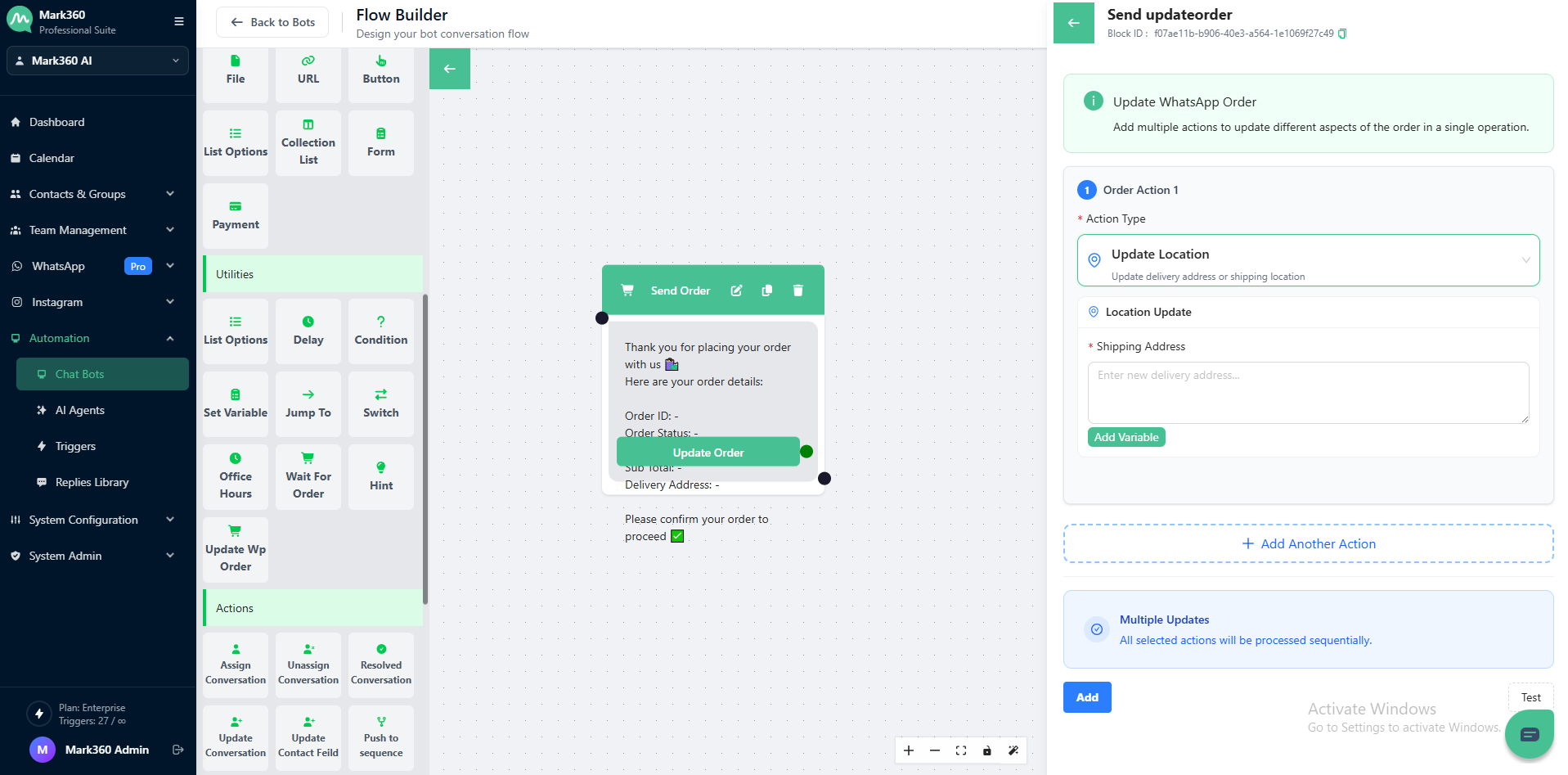
Order Actions
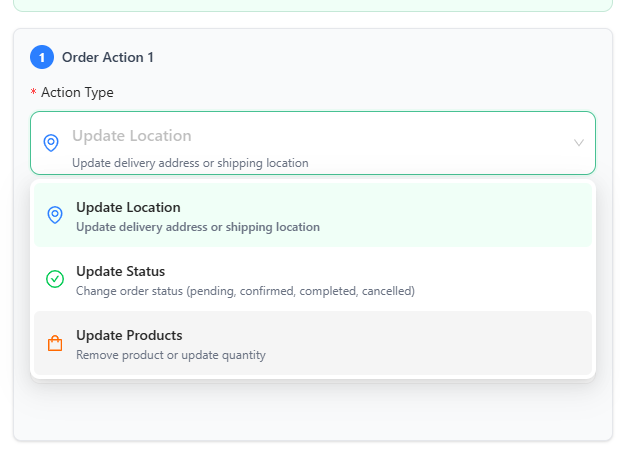
You can choose from the following Action Types to update order information:
Update Location
Modify the delivery address or shipping location of the order.
Update Status
Change the order status — such as Pending, Confirmed, Completed, or Cancelled — to keep your customer informed in real time.
Update Products
Adjust product details like quantity or remove items from the order as needed.
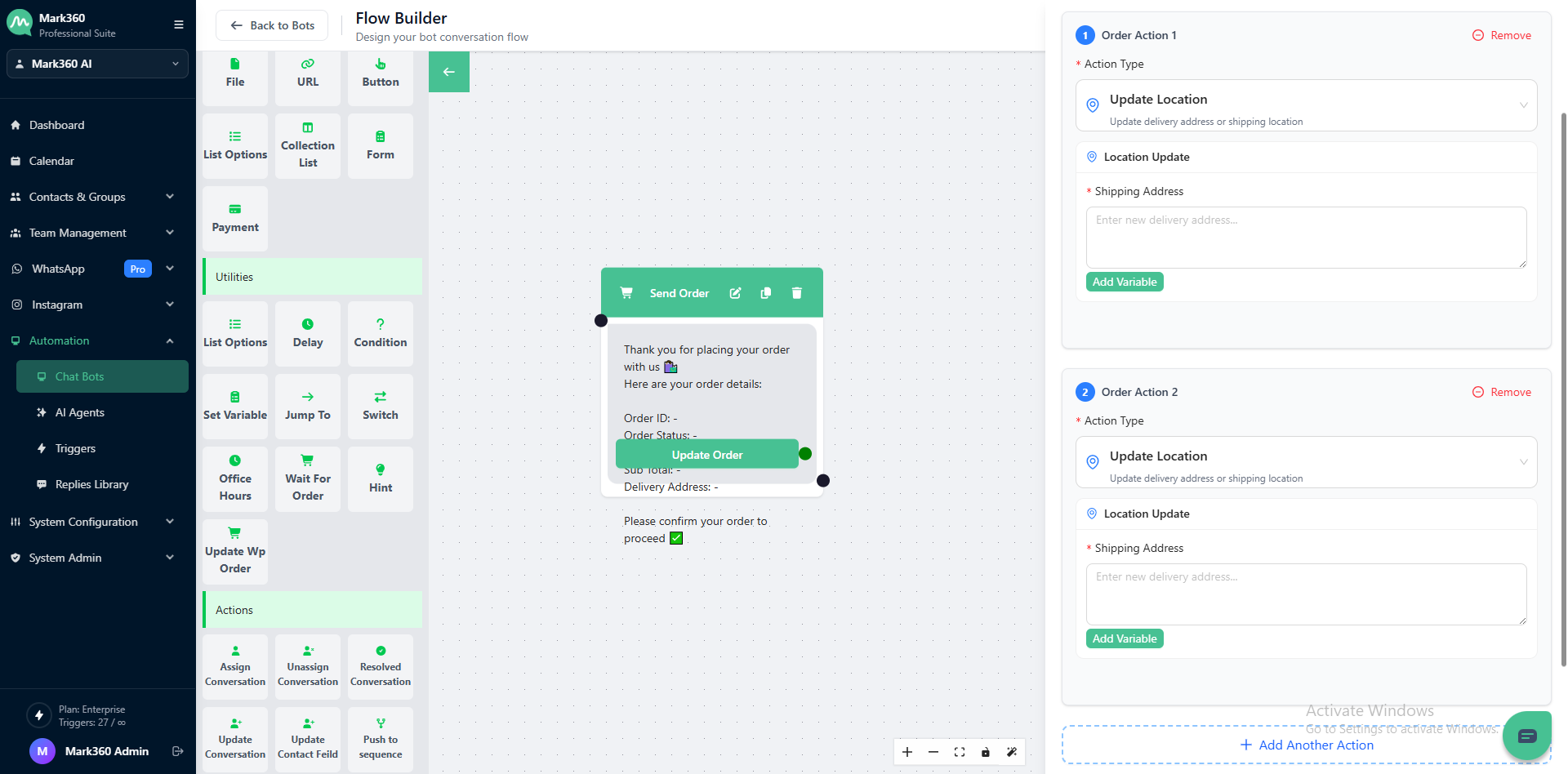
Adding Multiple Actions
-
Click Add Another Action to include more updates within the same node.
-
You can mix and match different action types (for example, update both location and status).
-
Enable Multiple Updates to process all actions sequentially — ensuring every change is applied in the correct order.
Example Use Case
A customer requests to:
- Change the delivery address
- Mark their order as Confirmed
You can configure two actions within the same update node:
- Update Location → Set new delivery address
- Update Status → Change order to Confirmed
The system will process both updates in sequence, simplifying order management.
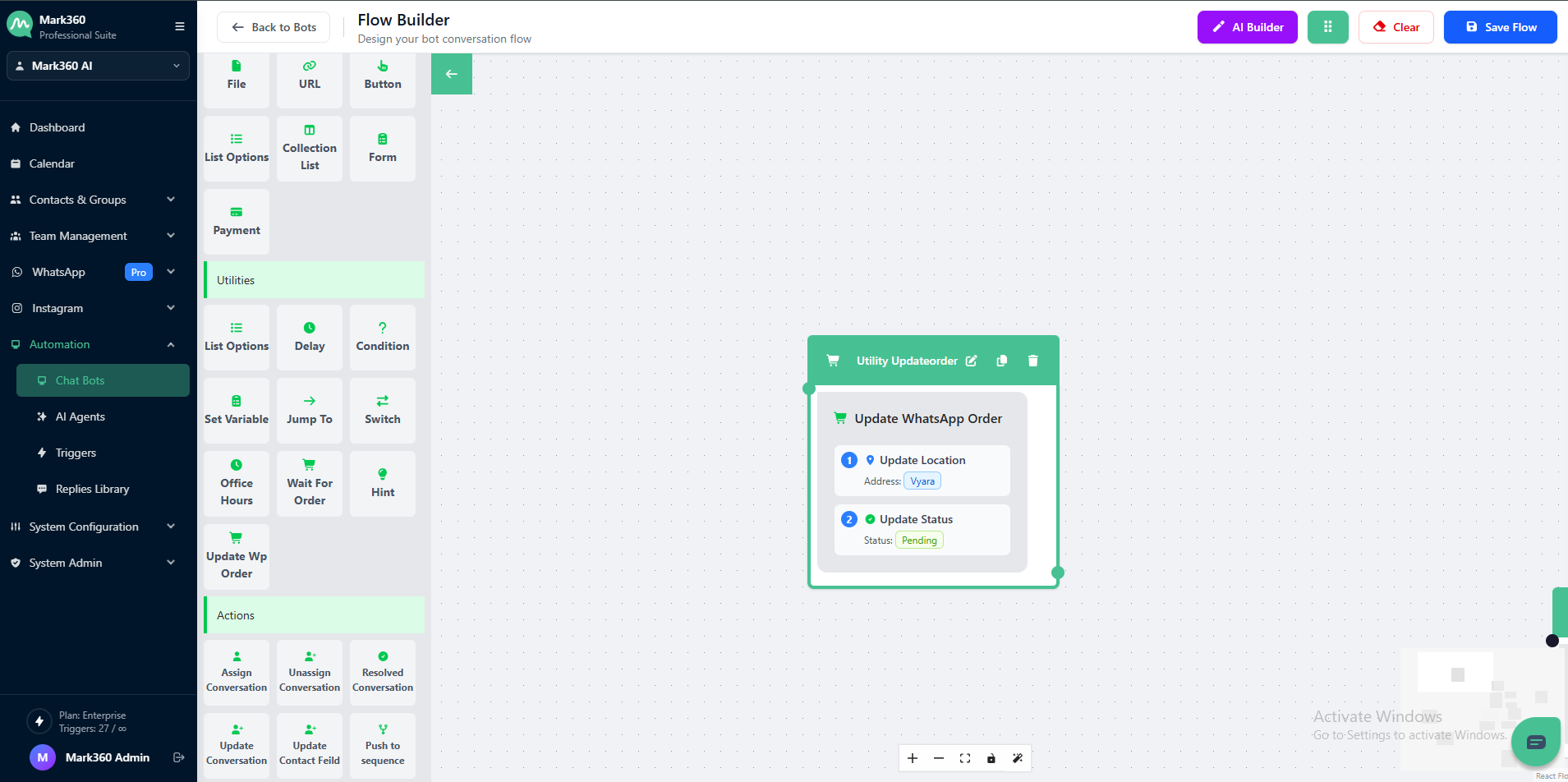
Your WhatsApp Order updates are now ready to be processed automatically!